heRo3 Onboarding Tours
Platform Onboarding Sandbox
Skills Used
Figma | Storybook | React | Jira
When signups surged, our domain experts got bogged down doing manual video walk-throughs for every new user. We needed an automated tour, but users were afraid of breaking live models. I designed a self-paced, non-destructive "sandbox" environment so they could learn the platform safely. This cut down support tickets and let our specialists get back to actual data strategy.
1. The Core Problem: The Fear of Breaking Things
Learning a complex health economics platform is intimidating. Our domain specialists were spending hours walking new users through the interface on video calls. We needed to automate this, but research showed a major roadblock: new users were terrified of clicking the wrong button and ruining a live enterprise model.
A basic tooltip tour wouldn’t cut it. They needed a place where it was safe to make mistakes.
2. The UX Execution: The Sandbox & Spotlight
To remove the fear of corrupting live data, I designed a “Walkthrough Mode” that acted as a temporary, non-destructive sandbox.
Transitioning in and out of this mode took some careful state management. We had to ensure users saved their active models before generating the sandbox, and we needed to make it visually obvious when they were in this “safe” mode.
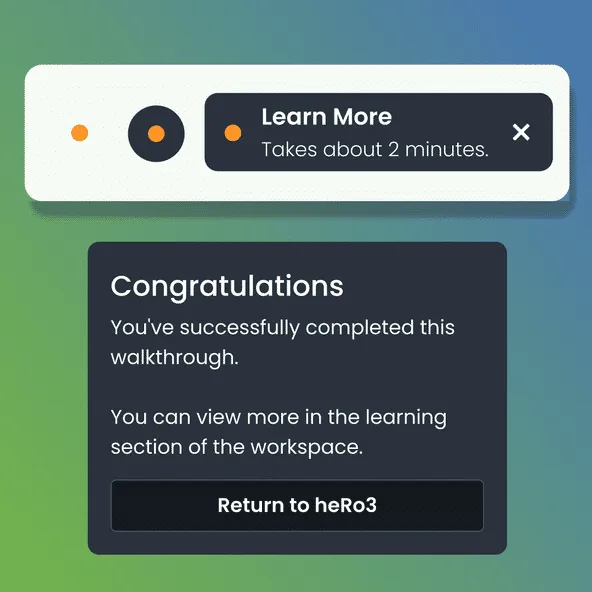
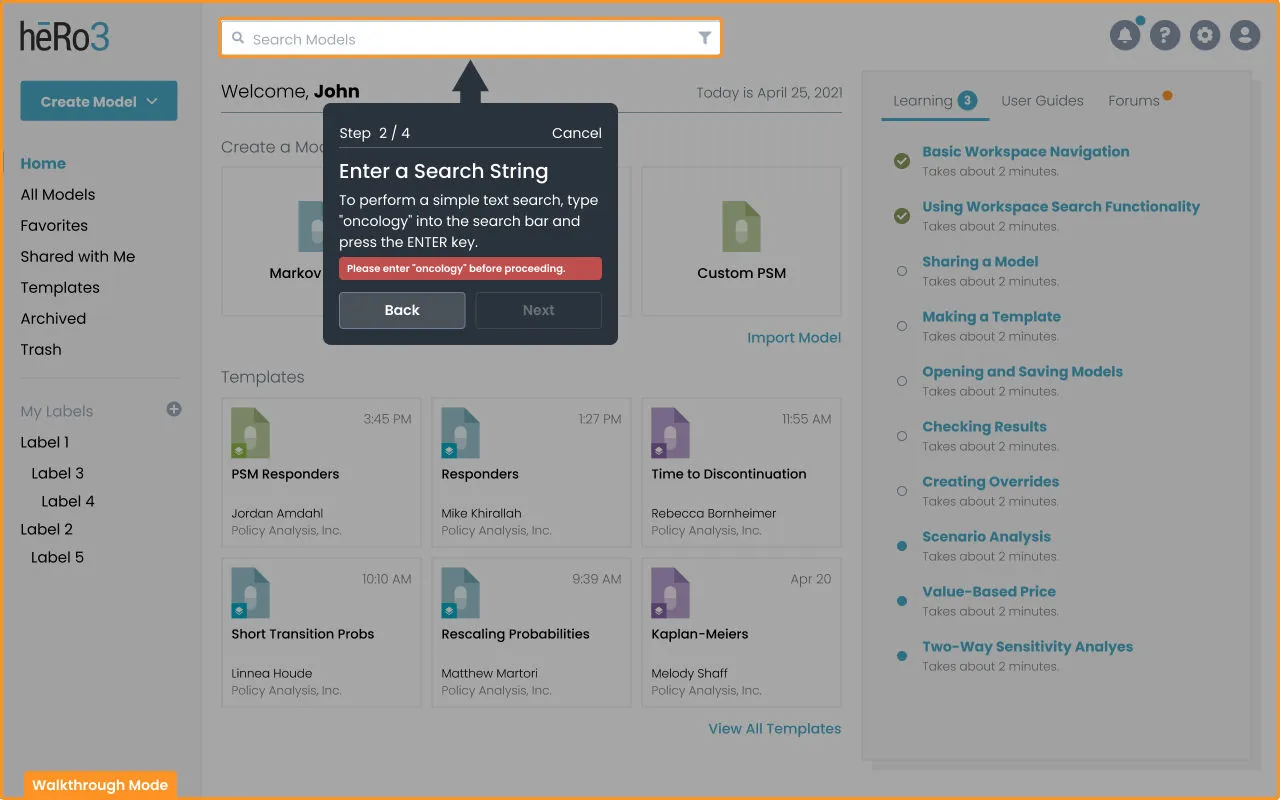 Entering the sandbox: A custom stepper component helps users keep their bearings inside dense data panels.
To keep users from getting distracted during the tour, I used a spotlight effect—dimming the background interface to focus their attention purely on the active lesson. I also added a persistent colored border around the entire screen so they never forgot they were in a simulated environment.
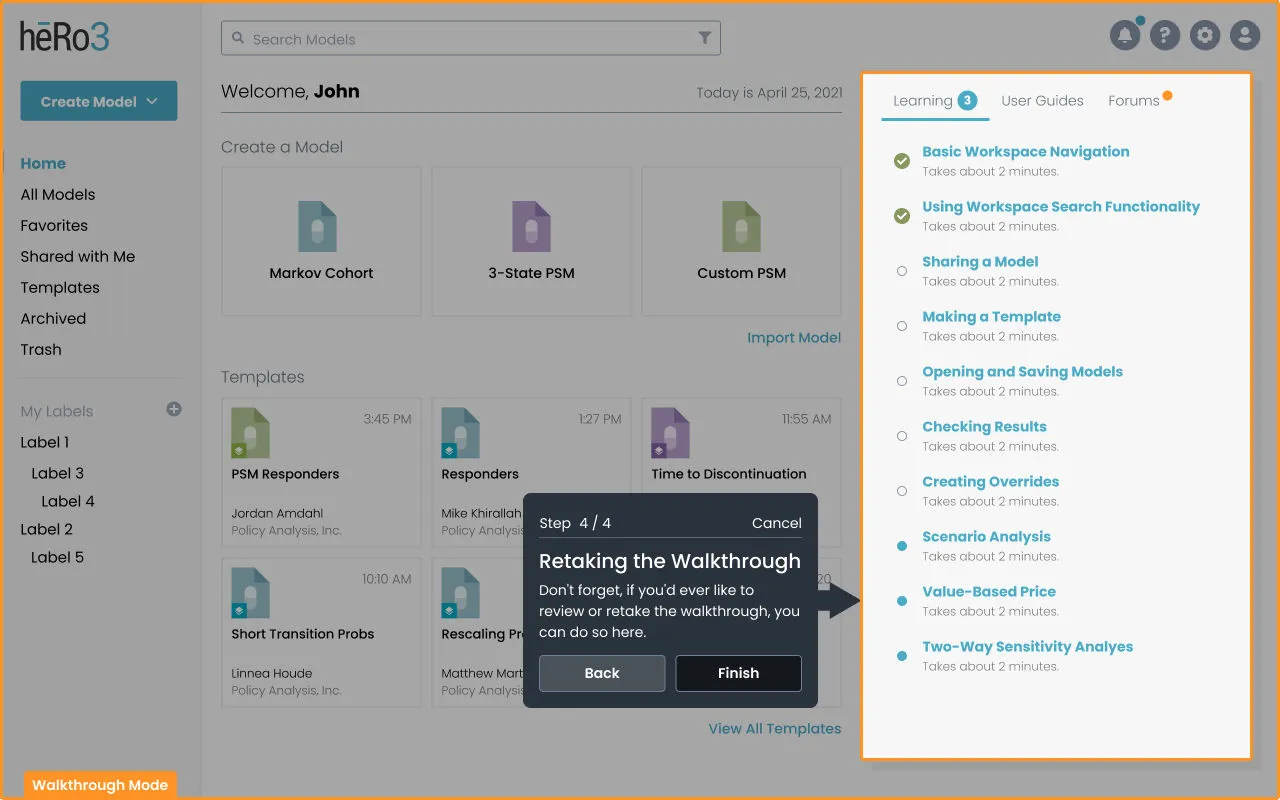 The spotlight effect: Dimming the background helps users focus on one task at a time instead of getting overwhelmed by the sheer amount of data.
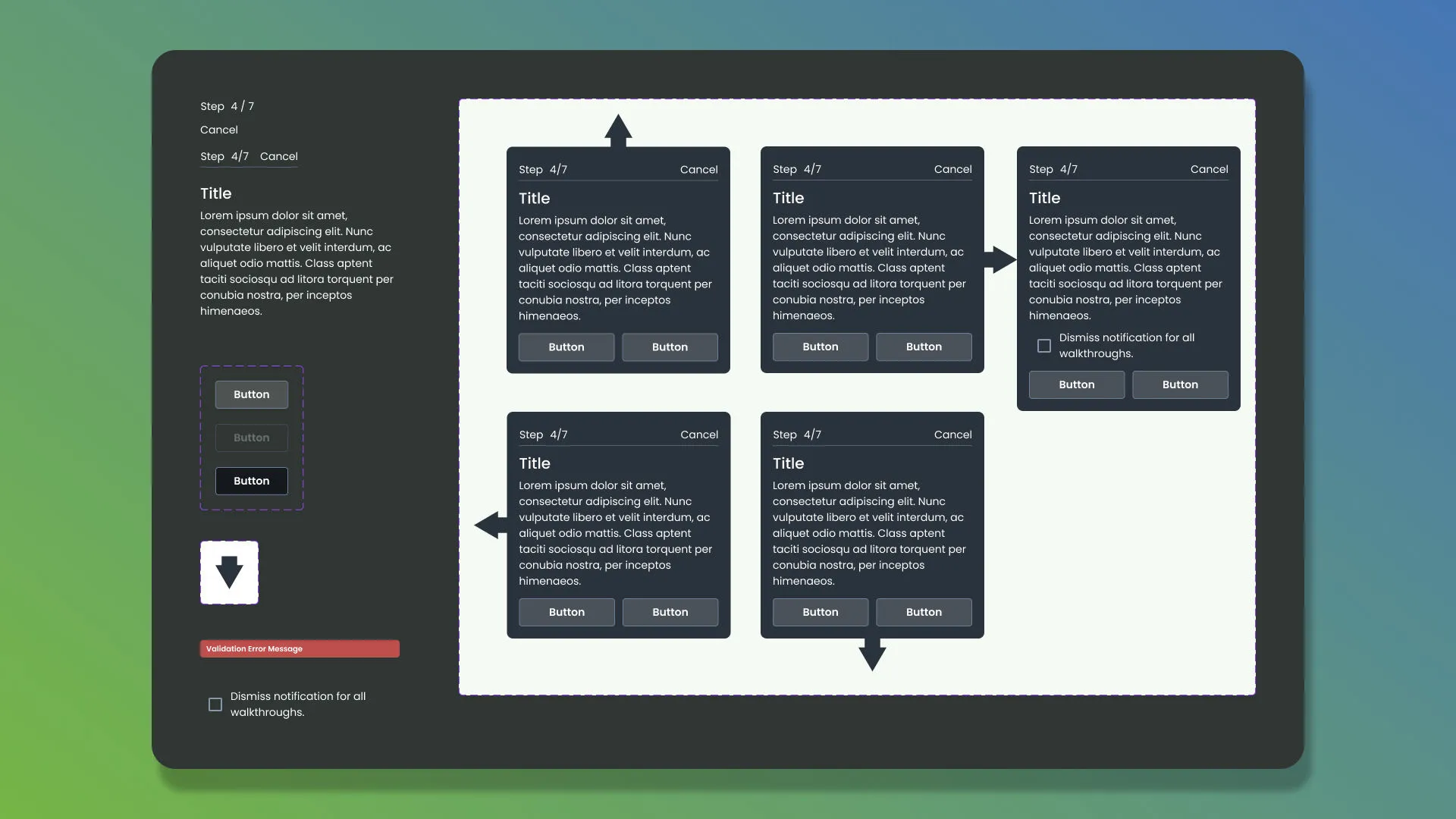 Interactive tour components designed in Figma and pushed directly to our Storybook library for the engineering team.
3. Delivery: Designing in Parallel
This project came with a tight deadline, which meant we had to run ideation, wireframing, and requirements-gathering at the same time.
Since we were essentially building the plane while flying it, some design gaps were inevitable. To keep things moving, I leaned heavily on Figma Dev Mode and daily syncs with engineering. This allowed me to design and drop in missing pieces—like the loading modals for sandbox generation—on the fly without slowing down the development sprint.
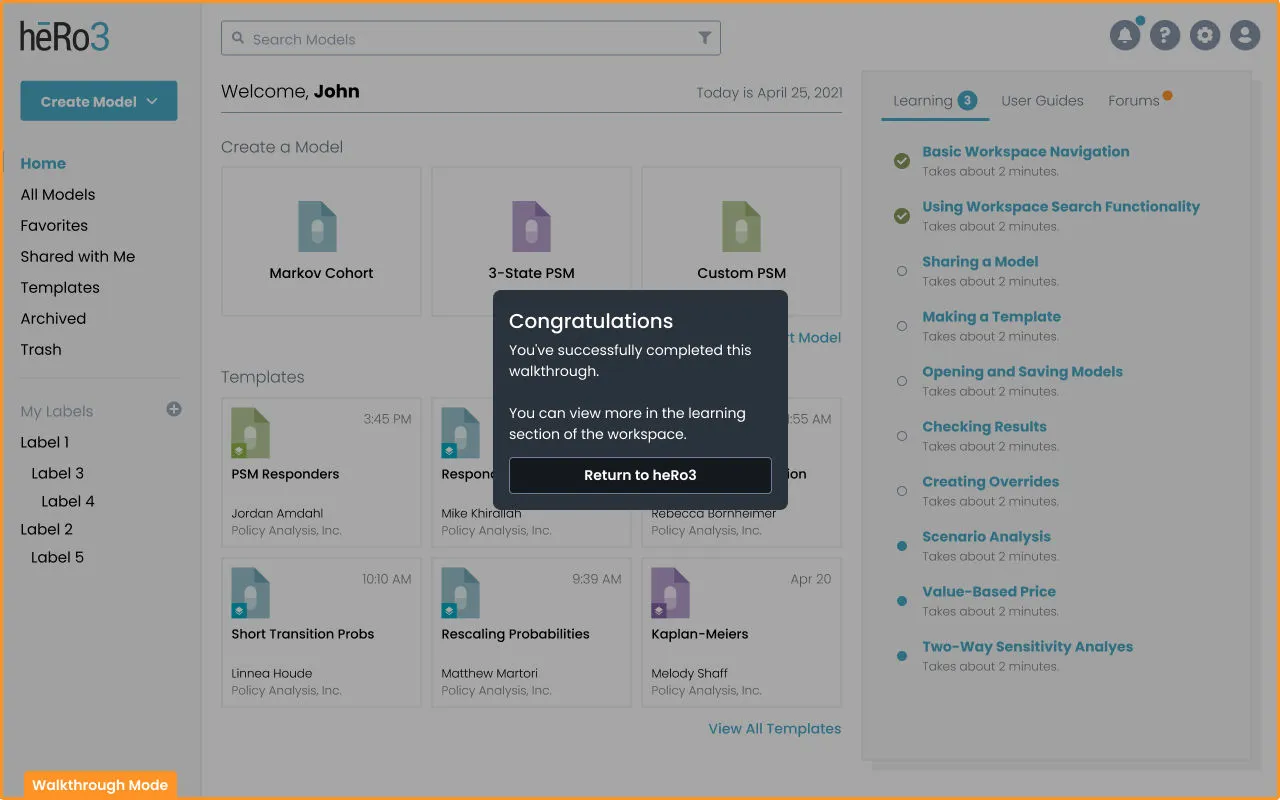 When the tour finishes, the system safely drops the user right back into their original, live model.
4. The Outcome
The Onboarding Tours fundamentally shifted how users learned the heRo3 platform, resulting in a few major wins:
- Time Saved: We replaced manual video walk-throughs with an automated system, letting our specialists get back to answering complex workflow questions instead of teaching basic navigation.
- Fewer Support Tickets: Giving users a safe place to experiment gave them the confidence to learn at their own pace, leading to a noticeable drop in support requests.
- Better Handoffs: Juggling the parallel requirements on this project highlighted some cracks in our product pipeline. Based on this experience, we set up better processes for estimating time and communicating requirements for future features.
See More of My Work